Campaign Monitor is a web app that allows you to capture data to an online mailing list, manage it, and send HTML e-newsletters to it. It’s a ‘software as a service tool, meaning you don’t own the app but pay a monthly fee to use it.
Like Getresponse, Aweber, and Mailchimp, it’s widely used by businesses to:
send mass mailouts
program autoresponders (automated emails that are triggered by certain user actions, such as joining a mailing list or buying a product)
analyze the results
And, as with some of the aforementioned products, it now also facilitates marketing automation.
We’ll explore all these key features in-depth shortly, but first, let’s take a quick look at Campaign Monitor pricing.
make use of a template library and drag and drop email builder to create messages
host mailing list and send messages to it
access stats on the performance of your mailouts
access support via email.
Campaign Monitor Pricing
The
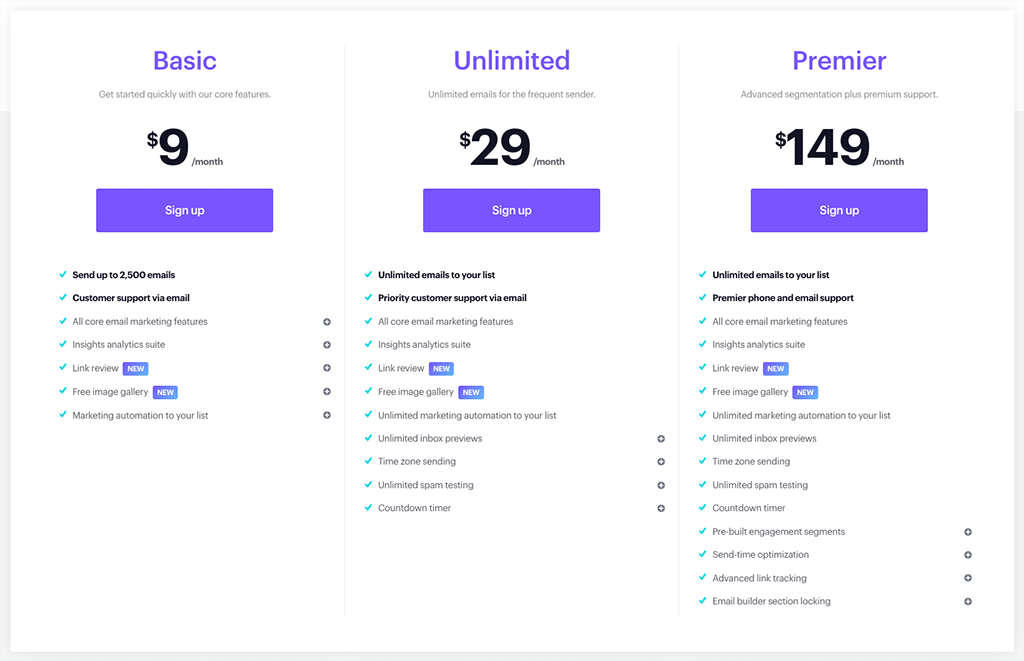
‘Basic‘ plan limits the number of emails you can send in a given month. If you have a small mailing list containing 500 email addresses, you can send 2,500 messages per month to it; moving up the scale, if you have a list containing 30,000 email addresses, the limit is 250,000 sends. The Basic plan also restricts your use of autoresponders to simple drip campaigns (i.e., you won’t be able to use things like opens or clickthroughs to trigger sophisticated ‘subscriber journeys’).
The ‘Unlimited‘ plan removes the cap on the number of emails you can send and allows you to make use of more sophisticated auto-responder functionality (involving ‘branching’, where user actions — opens, clicks, etc. can trigger emails). It also gives you access to faster email support and inbox and spam testing options, along with the option to tailor e-newsletter send times to best match your subscribers’ time zones.
In addition to the features on the ‘unlimited plan, the ‘Premier‘ Campaign Monitor plan gives you access to phone support; template controls that are designed to prevent your team from creating communications that are wildly off-brand; and advanced link tracking. Possibly the most useful feature on Premier plans however is send time optimization — this sends your e-newsletters according to when they are most likely to be opened (Campaign Monitor works this out by looking at your subscribers’ past behavior).
How much you pay for each plan depends entirely on your database size — we’re dealing with a sliding scale, but I’ll highlight three scenarios to give you an idea of how much you might pay to host a small, medium-sized or large list with Campaign Monitor:
In the middle of the scale, hosting a database containing 25,000 email addresses will cost you $199 per month on ‘Basic’, $399 per month on ‘Unlimited’, and $499 per month on ‘Premier.’
At the top end of the scale, you can expect to pay $299 per month to host a database containing up to 50,000 email addresses on the ‘Basic’ plan, $699 per month on the ‘Unlimited’ plan, and $989 per month on the ‘Premier’ plan.
There are around 80 Campaign Monitor templates available; this is less than the number offered by competing products, but they all look great, and I generally prefer them aesthetically to what’s on offer from competing products.
Campaign Monitor templates are attractive in appearance and one of the stand-out aspects of the product
Campaign Monitor templates are very professional in appearance, and they are responsive too (meaning they'll adjust themselves to display nicely regardless of whether you are looking at e-newsletters on a desktop or mobile device).
They’re also robust – so far, I’ve yet to experience any problems with how they display in email programs.
The templates also allow you to incorporate a decent selection of web fonts – this is a very nice touch, and means your e-newsletters can look a bit slicker than some sent by competing systems.
There is one potential headache with the templates worth considering though – if you are using the RSS-to-HTML email option to create newsletters (i.e., if you are using an RSS feed from your site or blog to populate and trigger emails), you can’t use the normal templates and will have to make do with a very basic template.
This means having to do without web fonts and using a very different design than the one you might be using in your standard e-newsletters.
To be fair, this is also an issue with some of Campaign Monitor’s competitors (notably Aweber and Getresponse) but they generally offer a wider range of RSS-to-email templates, making the difference between ‘normal’ and RSS e-newsletters less of an issue.
Finally, as with similar tools, you can always import your own HTML template – this is a straightforward enough process, and you can make use of Campaign Monitor’s various tags to ensure that you can subsequently use its in-built template editor to edit or personalize content in future.
Importing and exporting subscribers
Importing data into Campaign Monitor is very easy — you can import from all the common database formats you’d expect, i.e.,:
XLS
XLSX
CSV
TXT (tab-delimited)
ZIP
You can also simply copy and paste the contents of one of these file types directly into Campaign Monitor, which will usually make a very good job of separating out the fields (you can then map or rename these as appropriate).
There are certain requirements that Campaign Monitor has regarding what you import — for example, you may have trouble importing
bought or rented databases
lists that have not been mailed in a long time
data associated with gambling or pharmaceutical products.
These restrictions are fairly similar to those imposed by other e-marketing services and are there to reduce the risk of you or Campaign Monitor being blacklisted by email providers for spammy activity.
Exporting your data is easy — you can export entire lists or segments to CSV format very easily.
Data Segmentation
One thing I really like about Campaign Monitor is its flexibility around data segmentation. It allows you to send emails to multiple segments or lists at once — something which is not possible with a lot of other email marketing solutions (Getresponse being a notable exception).
Additionally, it’s extremely easy to exclude segments or lists from mailouts.
So if your business has complex requirements regarding data segmentation, Campaign Monitor is worthy of some serious consideration.
Autoresponders
Like most e-marketing tools, Campaign Monitor allows you to send autoresponders – automated ‘drip’ emails that you program into the system so that when a user joins a mailing list, they automatically receive a series of pre-programmed emails — or, in Campaign Monitor parlance, ‘subscriber journeys.’
Marketing Automation
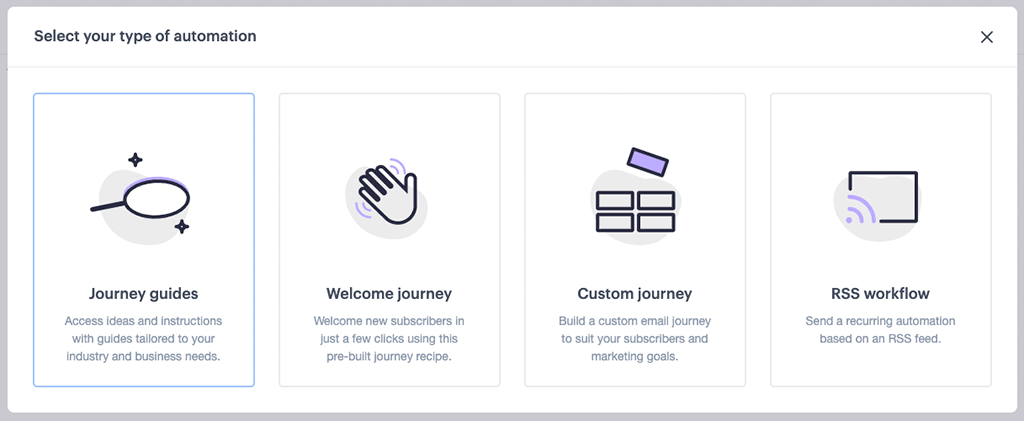
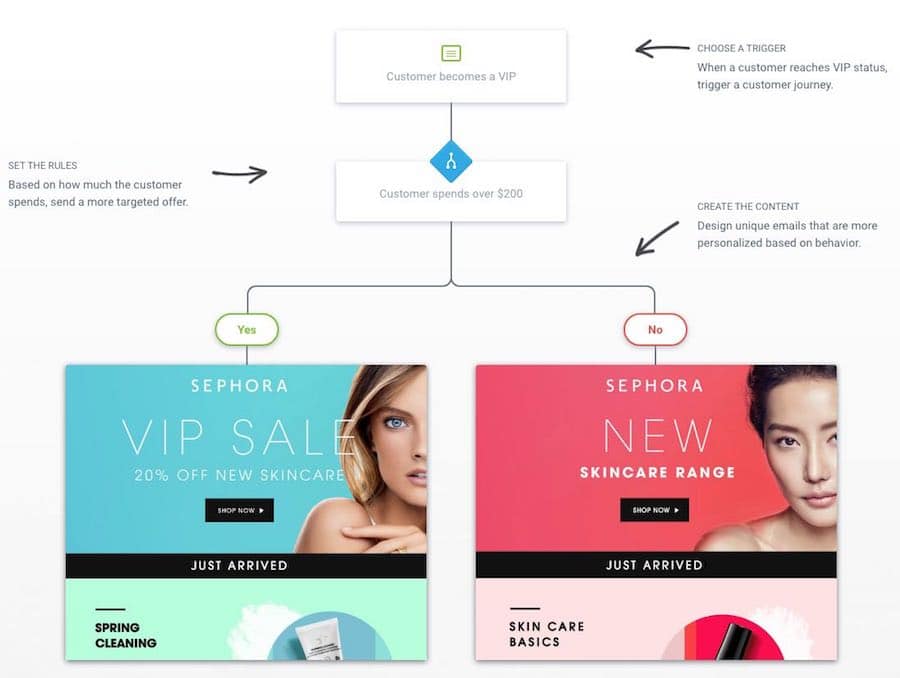
Like several competing products, Campaign Monitor now offers not just basic autoresponders but ‘marketing automation too. Marketing automation goes significantly beyond simple ‘drip’-style campaigns by allowing list owners to use specific triggers to send emails.
A flowchart-style interface with ‘yes/no’ conditions is provided to allow you to select triggers and set the conditions for sending particular emails to your subscribers. The journey builder is very easy to use and won’t involve a steep learning curve to get automation started.
RSS-to-email
Another way you can automate your email broadcasts in Campaign Monitor is by triggering them via RSS.
This allows you to use an RSS feed from your site to automatically send a newsletter to your subscribers – a typical application of this is blog RSS feeds being used to notify your subscribers of new posts on your site.
You can populate RSS-triggered emails with either snippet of content from the feed or entire articles.
As discussed above, the only negative issue regarding this functionality is that you can’t use normal Campaign Monitor templates to send RSS-powered emails; this means they may be a bit off-brand.
Sign-up forms and landing pages
Campaign Monitor’s sign-up forms are easy enough to configure and implement. You can easily create standalone forms, embeddable forms, or pup-ups; and these can be added to your site either via links or code.
If you’re a WordPress user, you’ll have even more options on this front, with a dedicated Campaign Monitor forms plugin available which allows you to create more sophisticated forms.
If you want to create more attractive or sophisticated landing pages for Campaign Monitor, you will need to code them yourself though, or avail of a third-party app (many of which are quite expensive).
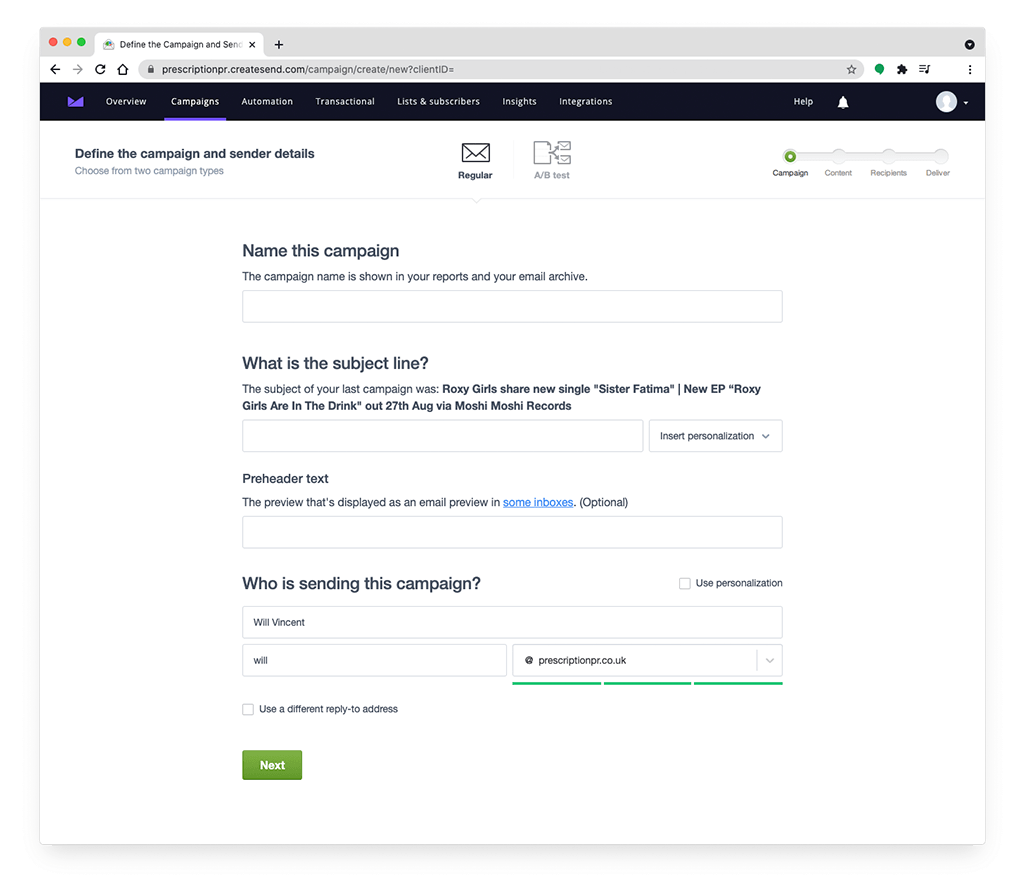
A lot of thought seems to have gone into making it clean, intuitive, and clutter-free, and to be honest, Campaign Monitor is probably the most user-friendly e-marketing tool I’ve used to date.
Using it is quite an ‘Apple-like’ experience — it’s not too dissimilar from using iOS (think clean fonts, white space, easy-to-spot buttons, and big toggle switches).
The Campaign Monitor interface is extremely easy to use
Everything is really straightforward and the system will really appeal to people who are not tech-savvy, or relatively new to e-marketing.
I have recommended Campaign Monitor to certain clients — those who need to send their own mass mailouts but are not particularly comfortable with the thought of doing so — on the strength of the easy-to-use interface alone.
Analytics
Campaign Monitor’s stats are easy to access and review.
In addition to getting ‘big picture’ stats on open rates, clickthroughs, and unsubscribes, you can get good individual-level information: for example, you can see exactly what an individual user has done with your emails – opened, ignored, clicked, etc. – and where and when they’ve done it (very Orwellian).
You can also export stats easily to PDF format too, which is very handy for sending reports over to clients in a simple, digestible format.
Split Testing your e-newsletters
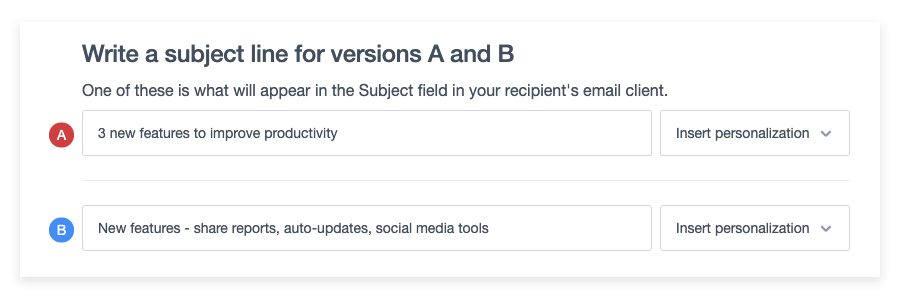
Split testing in Campaign Monitor is available and very easy to use, but the functionality is rather basic – you can only test two versions of an email against each other (based on the subject header, sender, or content).
Most other e-marketing tools are much more advanced in this regard, allowing you to split test a larger number of variants against each other (and different send times).
White Labeling
A feature which as far as I can tell is unique to Campaign Monitor amongst e-marketing products is its‘White Label’ option.
The white label option allows agencies to rebrand the product and provide their clients with a login. Because a discount is available to agencies who qualify to use the product in this way, this effectively allows agencies to generate some income as a result of hosting their clients’ lists on it.
Customer Support
Campaign Monitor customer support is email-only on the ‘Basic’ and ‘Unlimited’ plans – you can get phone support too, but you’ll have to be on a (very expensive) ‘Premier’ plan to avail of it.
If you’re on the ‘Unlimited’ plan, however, your emails will be answered more quickly.
My experience of Campaign Monitor’s support team’s responses to queries has been good, but the general situation
Another thing to note is that support seems to be only offered in English — some other email marketing platforms provide more options on the language front.
Pros of using Campaign Monitor
Its interface is excellent and extremely easy to use.
The templates are beautiful and robust — and faithfully reproduced in all major email clients.
You can use a decent selection of web fonts in templates — you are not restricted to boring web-friendly fonts.
The data segmentation options are great — you can send to or exclude multiple segments and lists in mailouts.
The automation features are comprehensive, powerful and easy to use.
Cons of using Campaign Monitor
It is a VERY expensive platform by comparison to its competitors.
Split testing is limited to 2 variants.
There is no (proper) free trial.
Its reporting functionality is fairly basic.
Support is email-only on all but the most expensive plan





0 Comments